Ambient Scribeยท On Your Phone
Ambient Scribe

On Your Phone

Everything you do at the desk โ€” log in, pick the visit, record, send to the EHR โ€” right from your phone.

๐Ÿ” Log in once๐Ÿ“… Your schedule๐ŸŽ™๏ธ Record๐Ÿ“ค Send to EHR
๐Ÿ“ฑ Shown on iPhone ยท Android looks similar
by
Ambient Scribe

Get Ambient Scribe on your phone.

Point your camera at the code โ€” it takes you straight to the store.

iPhone
App Store
Android
Google Play
by
01
Ambient Scribe
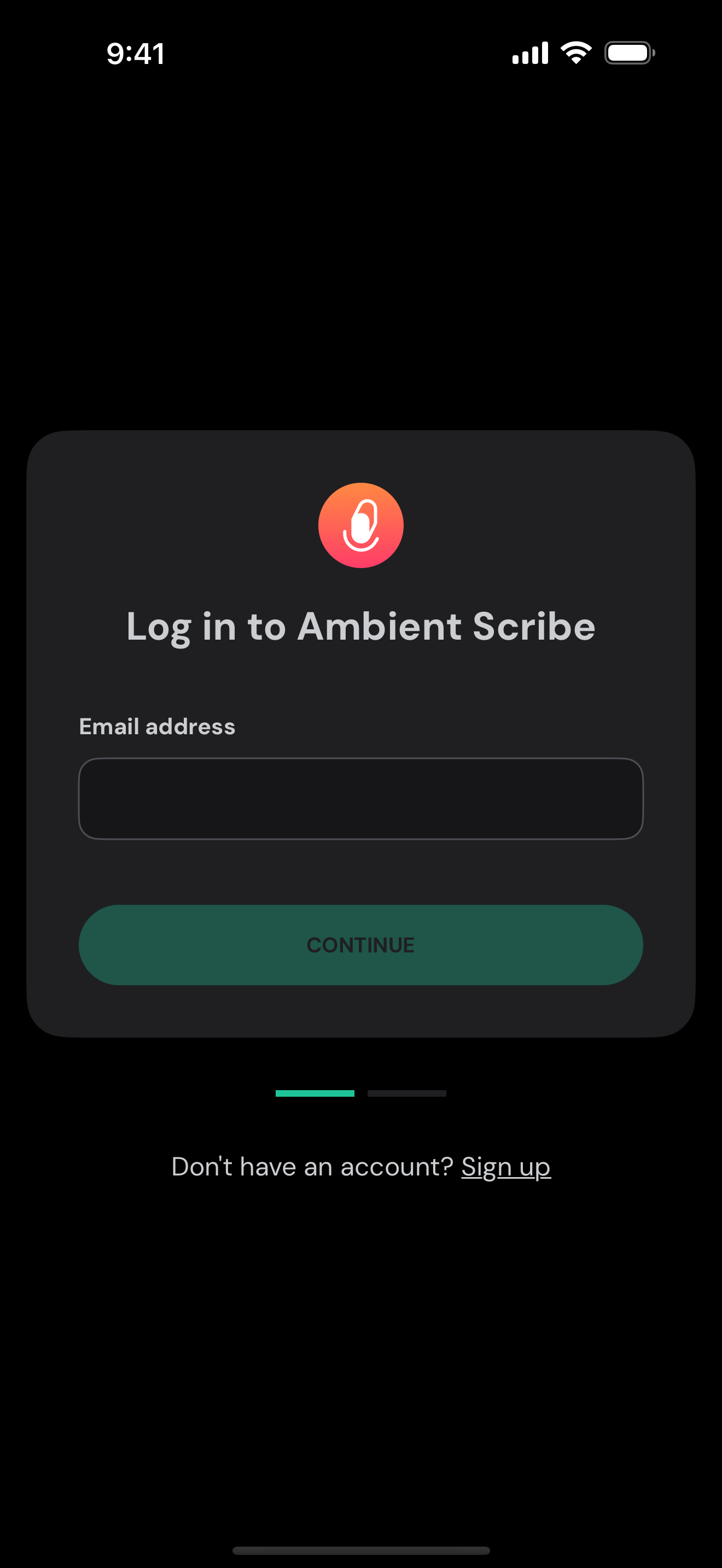
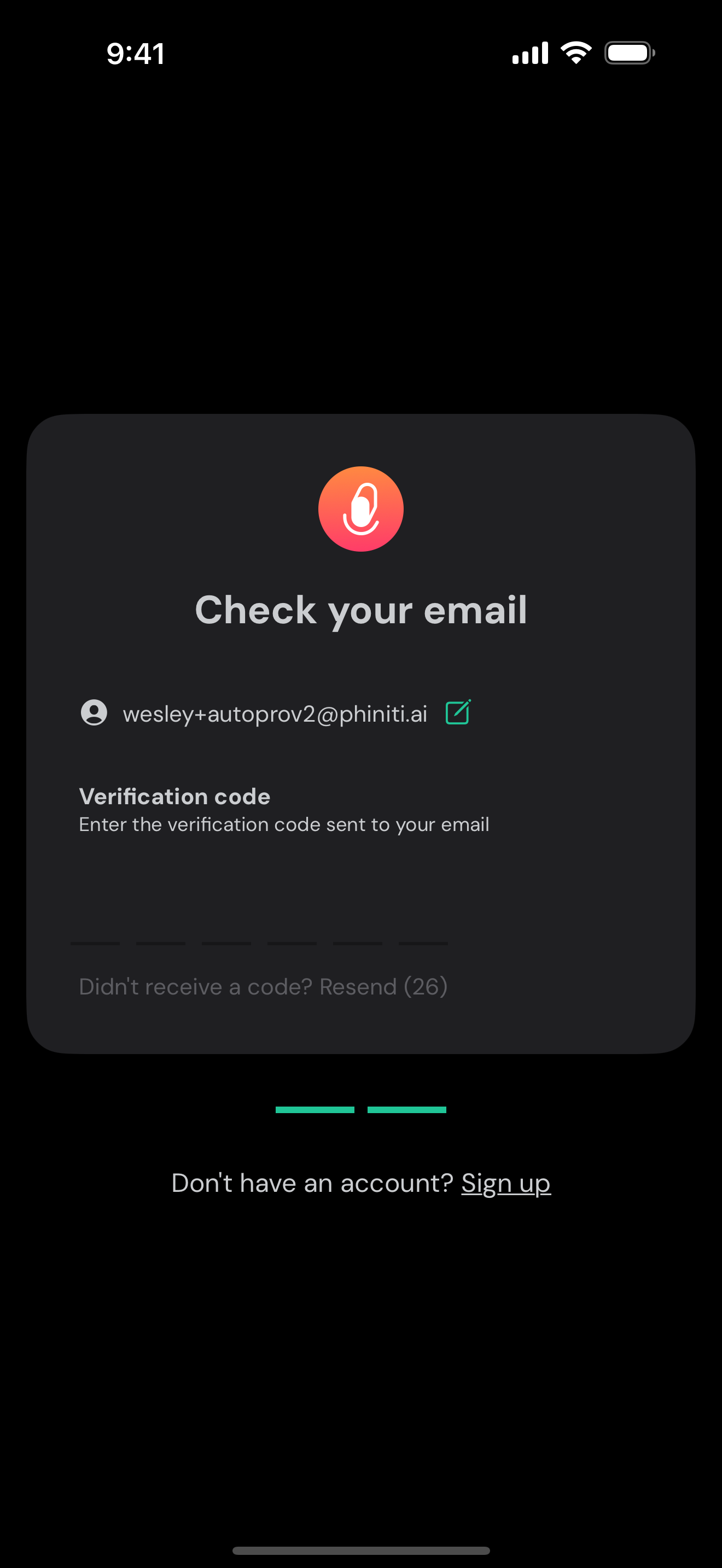
1 Log in once

Your email and a one-time code

Enter your email, tap Continue, then type the one-time code we send to your inbox. No password to remember.
Once a week, tops
Your login lasts a set period โ€” most people only sign in once or twice a week.
by
02
Ambient Scribe
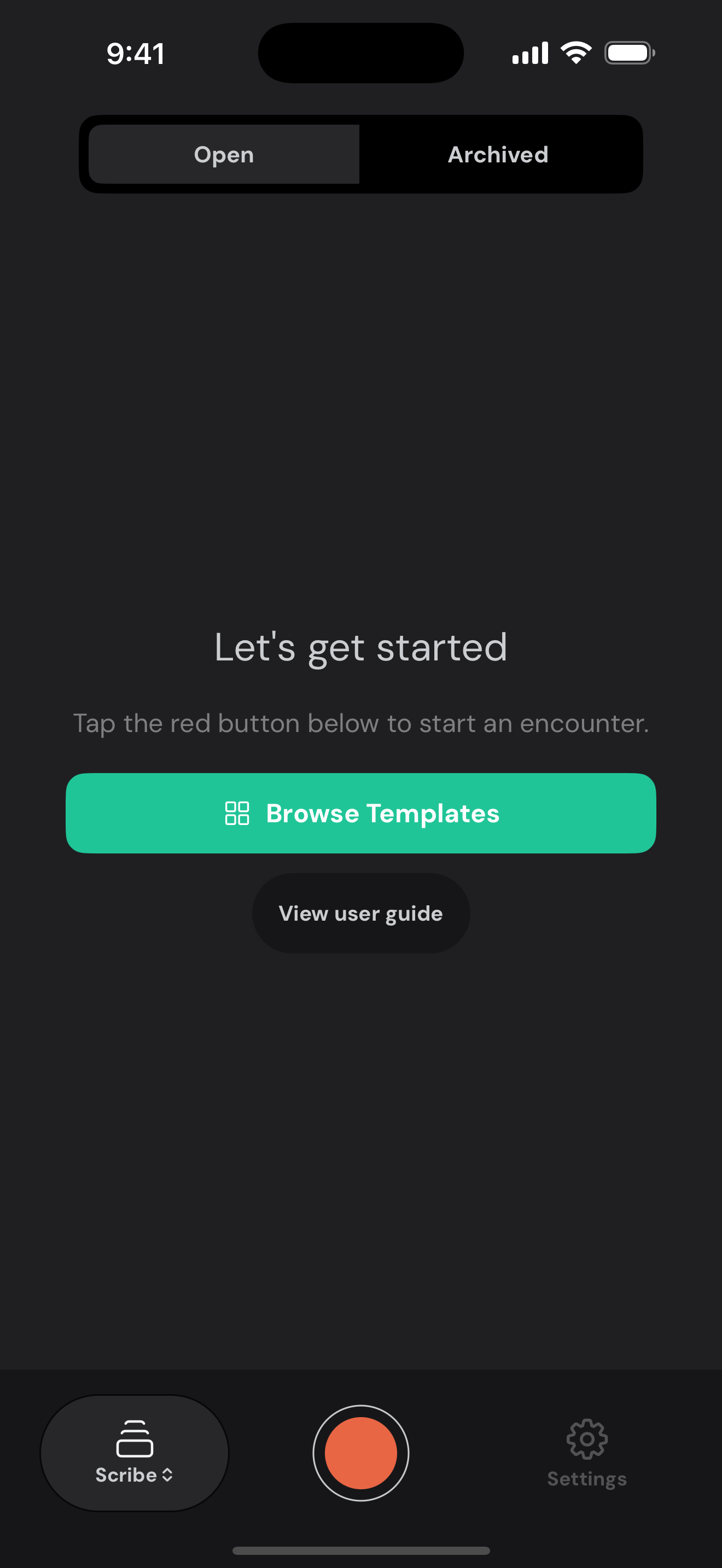
2 Start an encounter

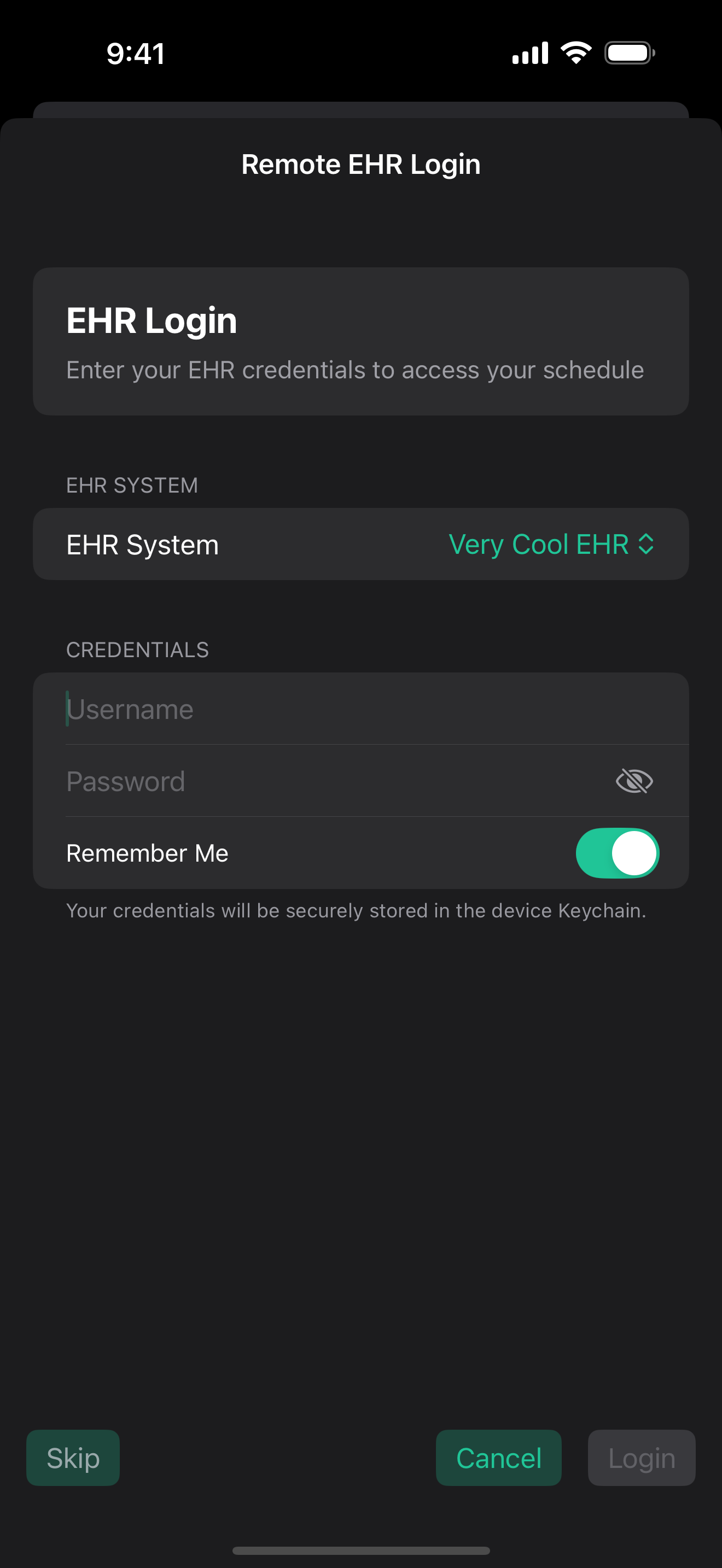
Tap the red button โ€” log into your EHR once

Tap the big red record button to begin. The first time, log into your EHR right from your phone.
Set it and forget it
Flip on Remember Me and your EHR login is stored securely in the device keychain โ€” no logging in every time.
by
03
Ambient Scribe
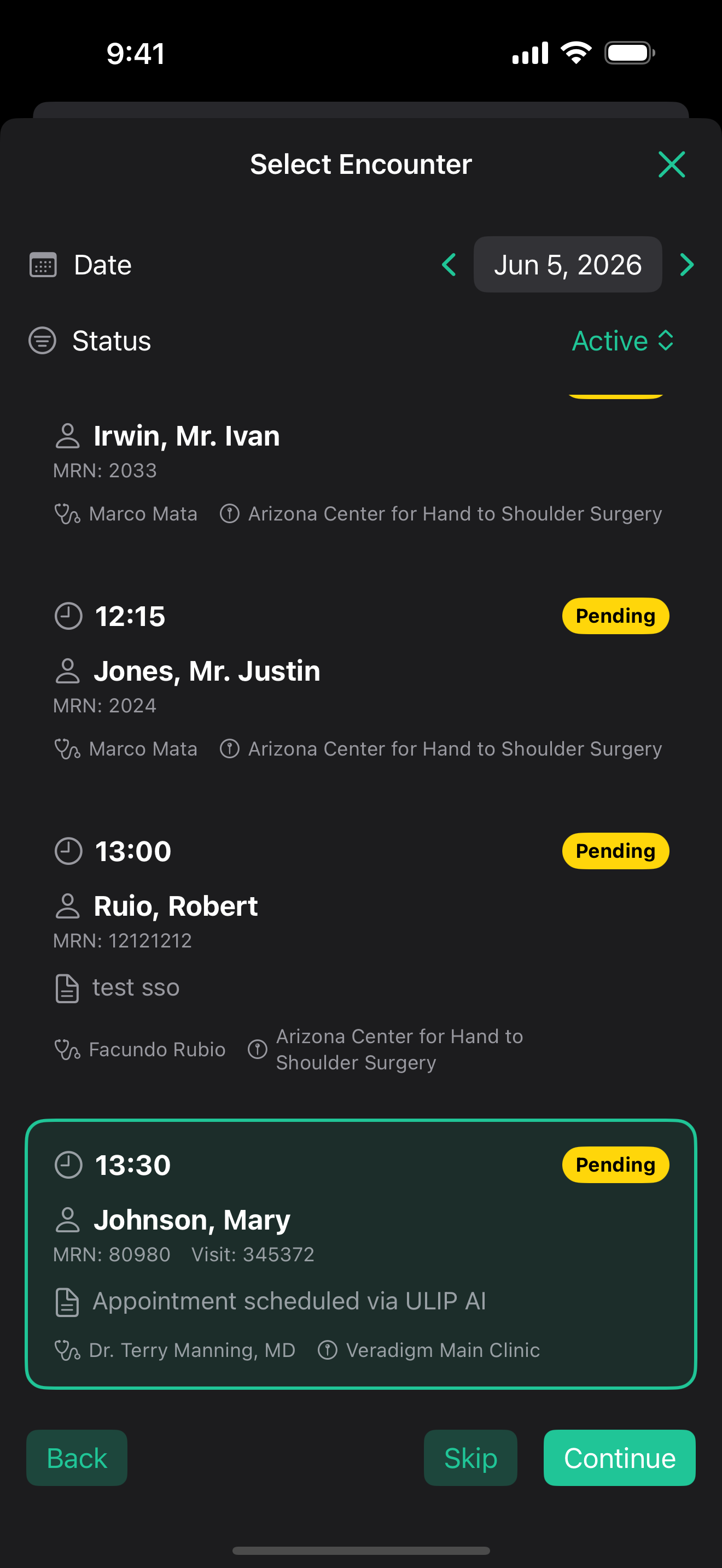
3 Pick from your schedule

Your whole day, right there

Step through dates with the โ€น โ€บ arrows, filter by status, and tap the visit you're seeing โ€” like the one selected in green.
Already armed for you
The notes are set up and waiting โ€” the front desk or nurse armed them ahead of time.
by
04
Ambient Scribe
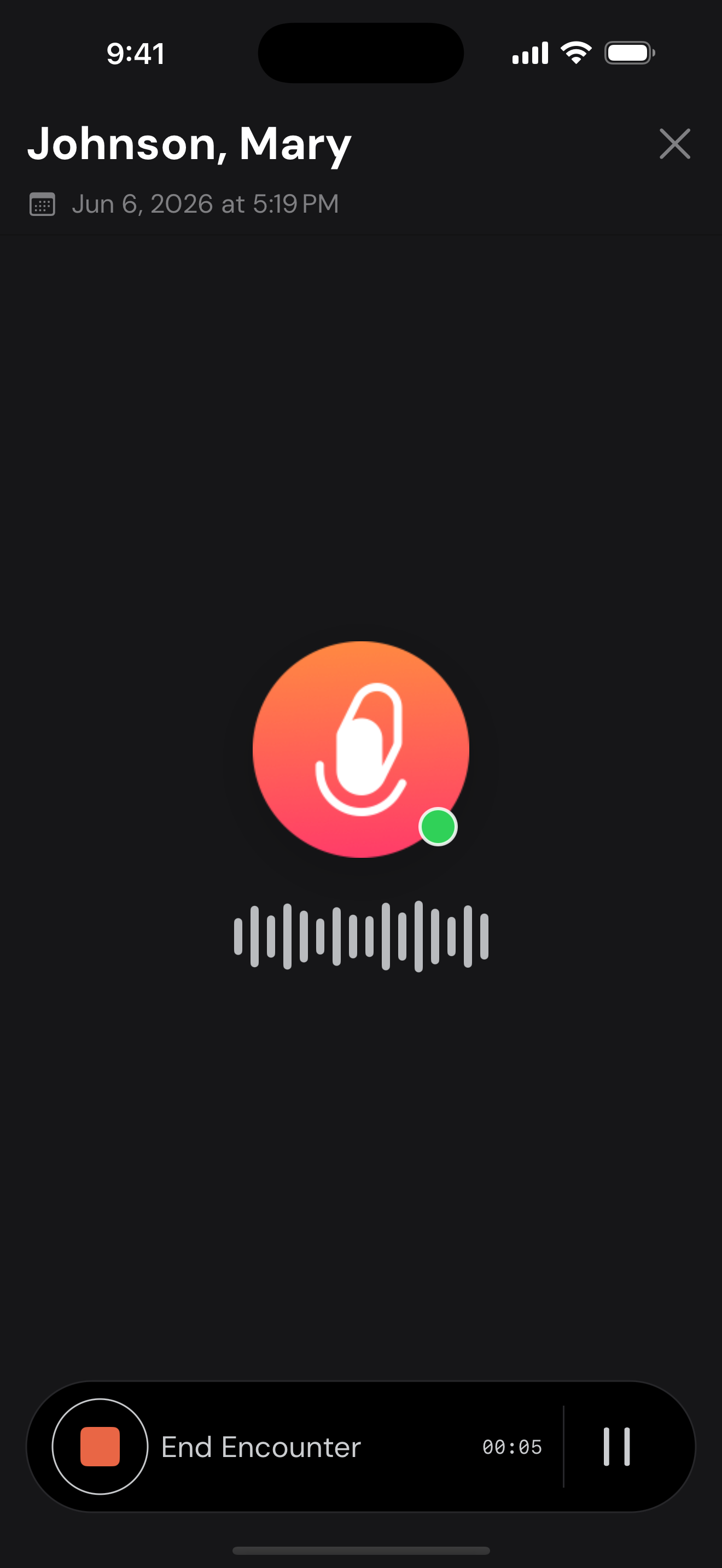
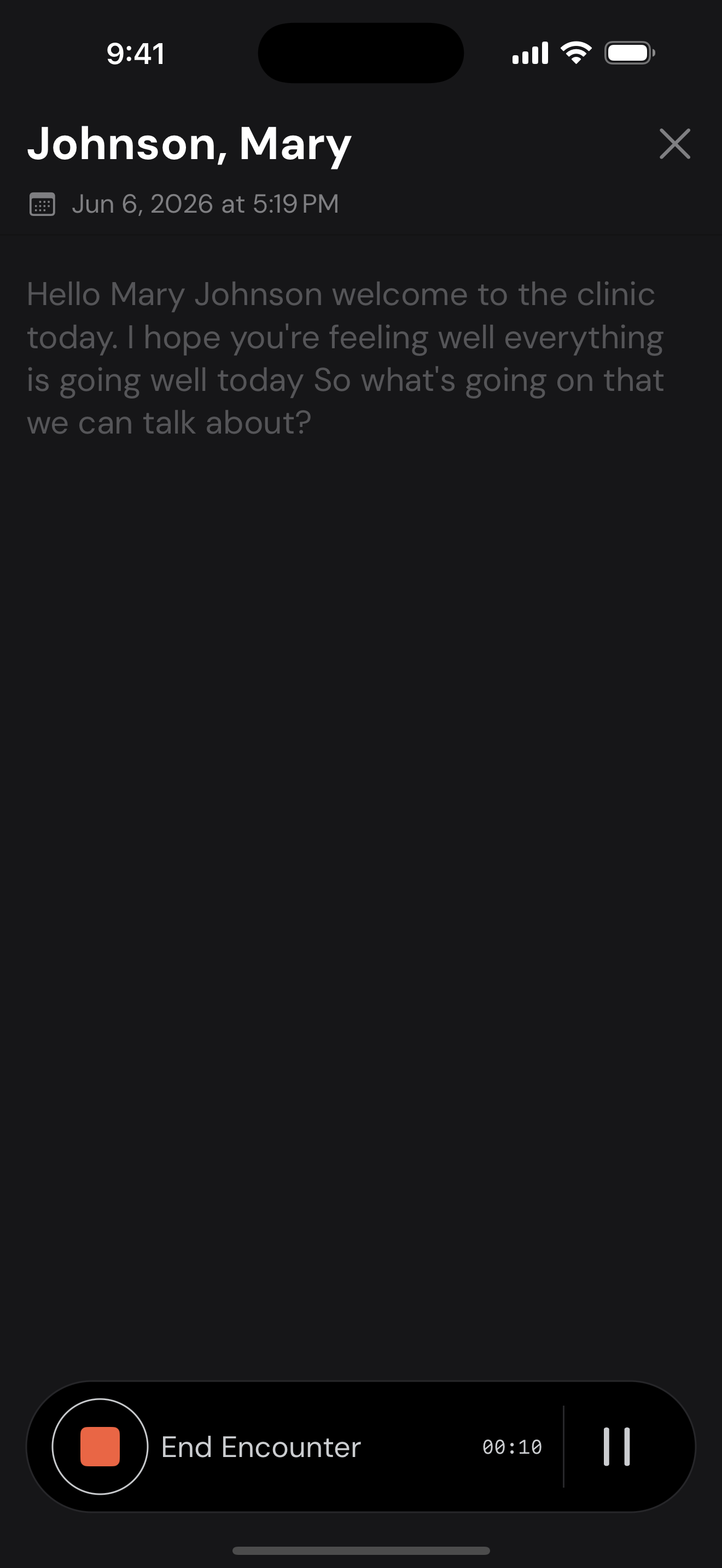
4 Record the visit

Just talk โ€” it transcribes live

Tap record and have your normal conversation. Ambient Scribe writes the transcript live on screen as you talk.
Save battery
Don't need the live text? Turn off live transcribe โ€” you'll see the microphone icon and an audio / no-audio status that shows when it's hearing you.
by
05
Ambient Scribe
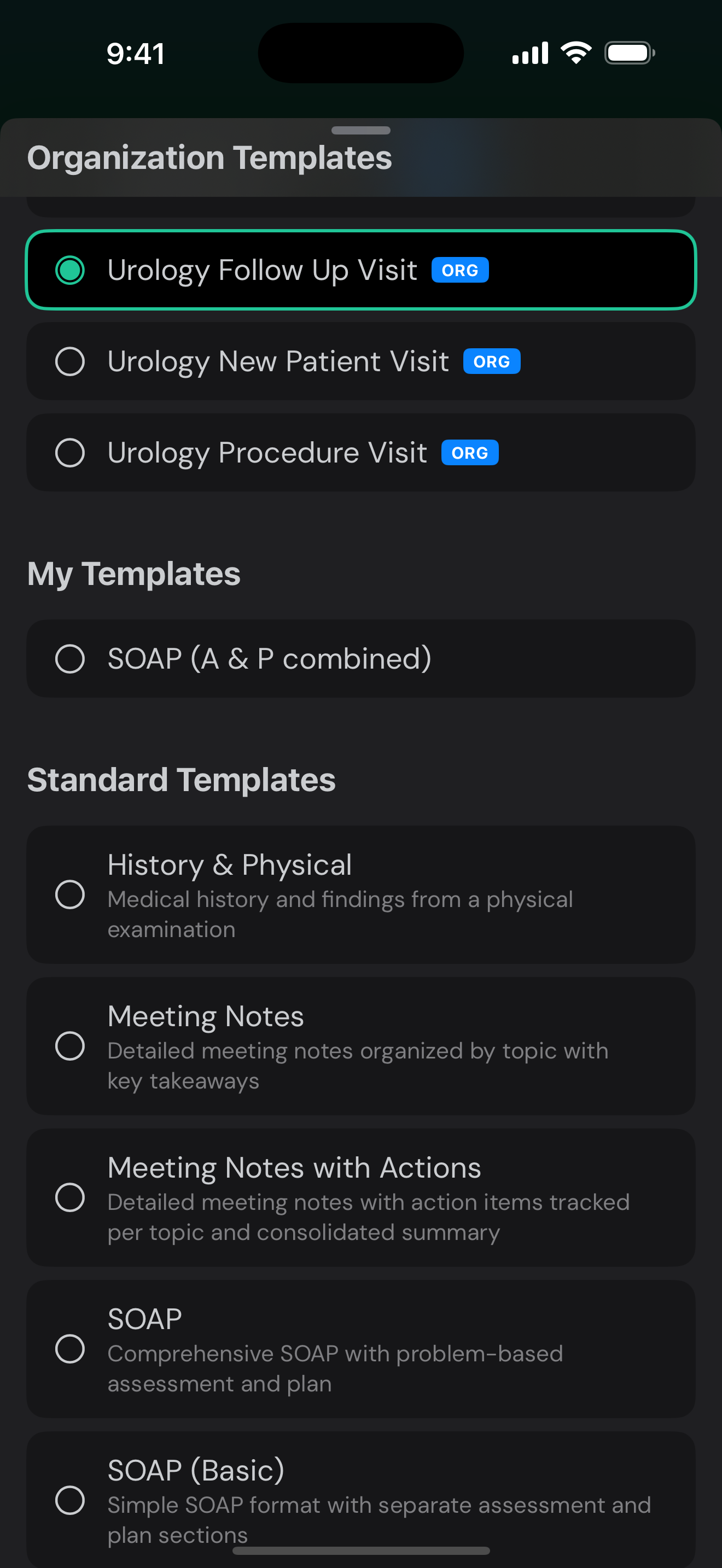
5 Your template, auto-matched

The right note is already picked

Your organization's templates sit right at the top โ€” and the right one is pre-selected from the visit type.
Then hit generate
Once your template's set, tap Generate Note โ€” Ambient Scribe writes it up and sends it back to you for review.
by
06
Ambient Scribe
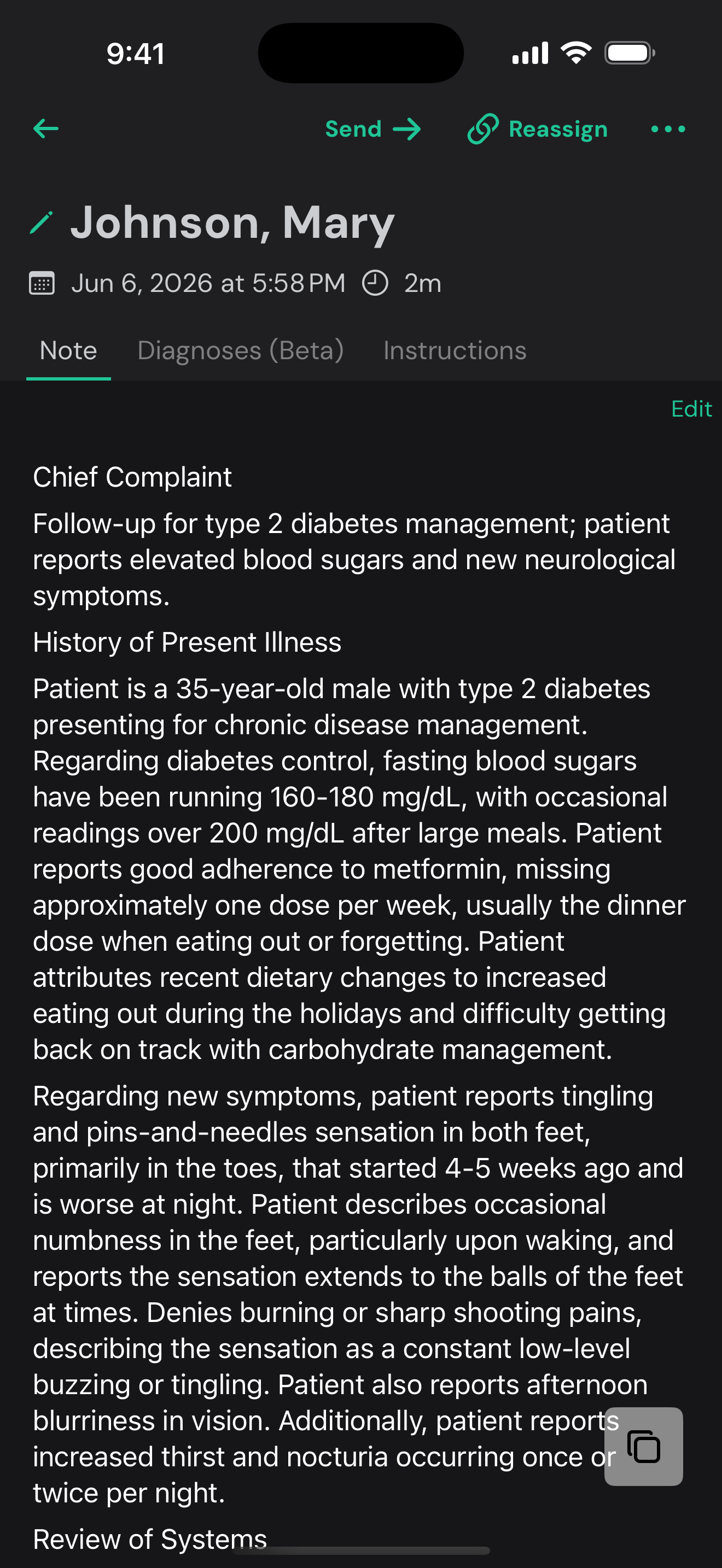
6 Review & send to the EHR

Look it over, then send it to the chart

The note's drafted in your template. Review the Note, Diagnoses, and Instructions tabs, edit if needed, then tap Send โ†’.
You're done
It goes straight into the chart in your EHR โ€” right from your phone.
by
07
Ambient Scribe
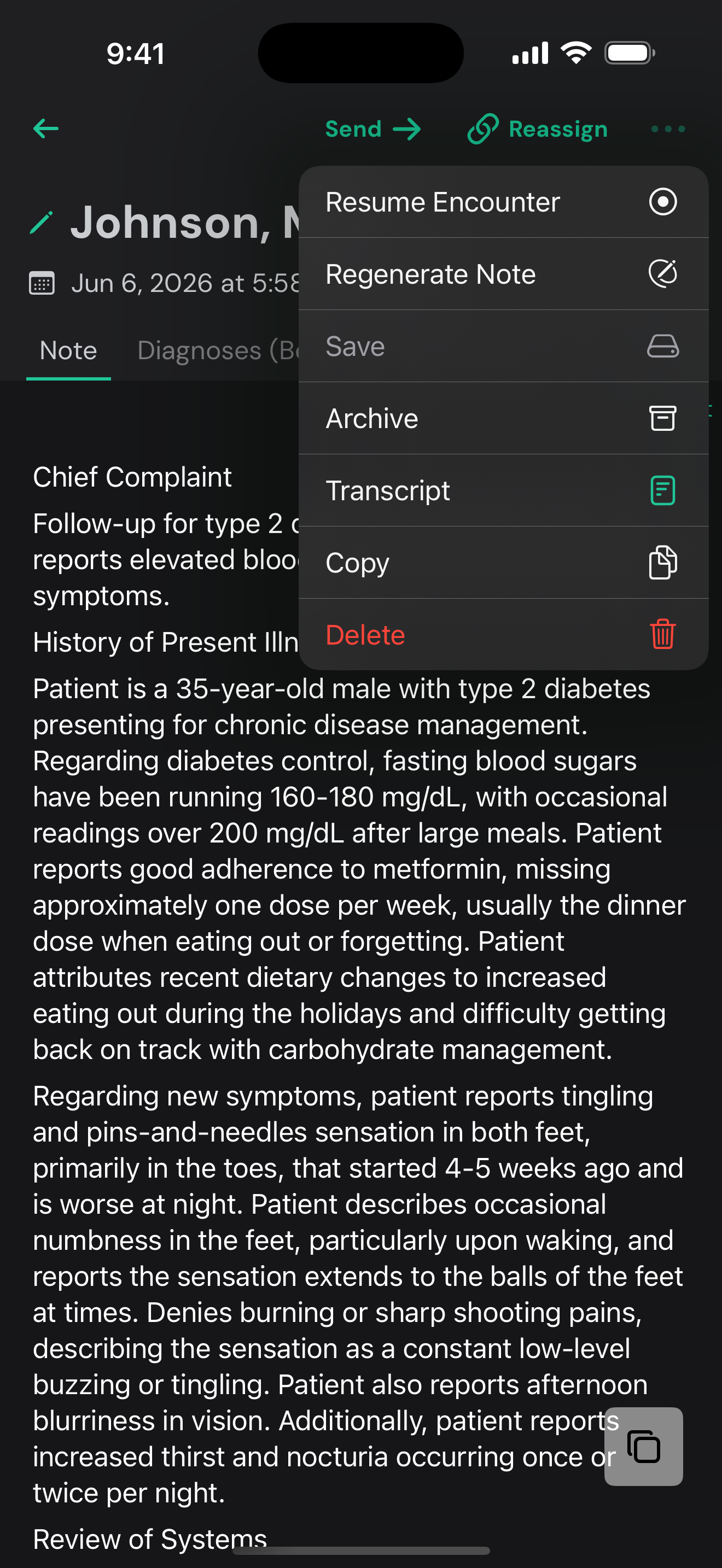
7 More you can do

The full workflow travels with you

Open the โ‹ฏ menu on any note. Reassign moves the note to a different encounter or patient โ€” if you picked the wrong one, or the visit got moved to another encounter in the EHR.
You can also resume to add more, regenerate the note, grab the Transcript, Copy, or Archive โ€” the phone isn't a stripped-down version, it's the whole workflow.
by
08

The whole visit, in your pocket.

Log in once, record anywhere, send straight to the EHR โ€” the same flow you know from the desk, now wherever you are. The note follows you.

โœ… Log in onceโœ… Record anywhereโœ… Send to the EHR
Ambient Scribe โ€” the whole visit, wherever you are.
Ambient Scribe  ยท  by
๐ŸŽ™๏ธ Narration 10 / 10
This is the voiceover that will be synthesized for this slide โ€” read it before generating audio.
10 / 10
โ† โ†’ navigate ยท space play/pause ยท N narration ยท E move highlights ยท F fullscreen
โœฅ MOVE HIGHLIGHTS Slide 9 has no highlight on it