Ambient Scribeยท No EHR Login Needed
Ambient Scribe

No EHR Launch Required

You don't have to be in the EHR to use Ambient Scribe. Open the app, sign in once, pick the visit โ€” and document anywhere.

๐Ÿš€ Open the app๐Ÿ“… Pull your schedule๐ŸŽ™๏ธ Document anywhere
๐Ÿ’ก The EHR is optional โ€” perfect for working on the go
by
Ambient Scribe

Ambient Scribe stands on its own.

Single sign-on is handy when you're already in the EHR โ€” but you don't need it.

1

Open the app

Start a session right in Ambient Scribe โ€” no chart to open first.

โ†’
2

Sign in once โ€” or skip

Log into your EHR remotely to pull your schedule, or skip it entirely.

โ†’
3

Document anywhere

Record the visit and send the note โ€” the EHR is optional.

by
01
Ambient Scribe
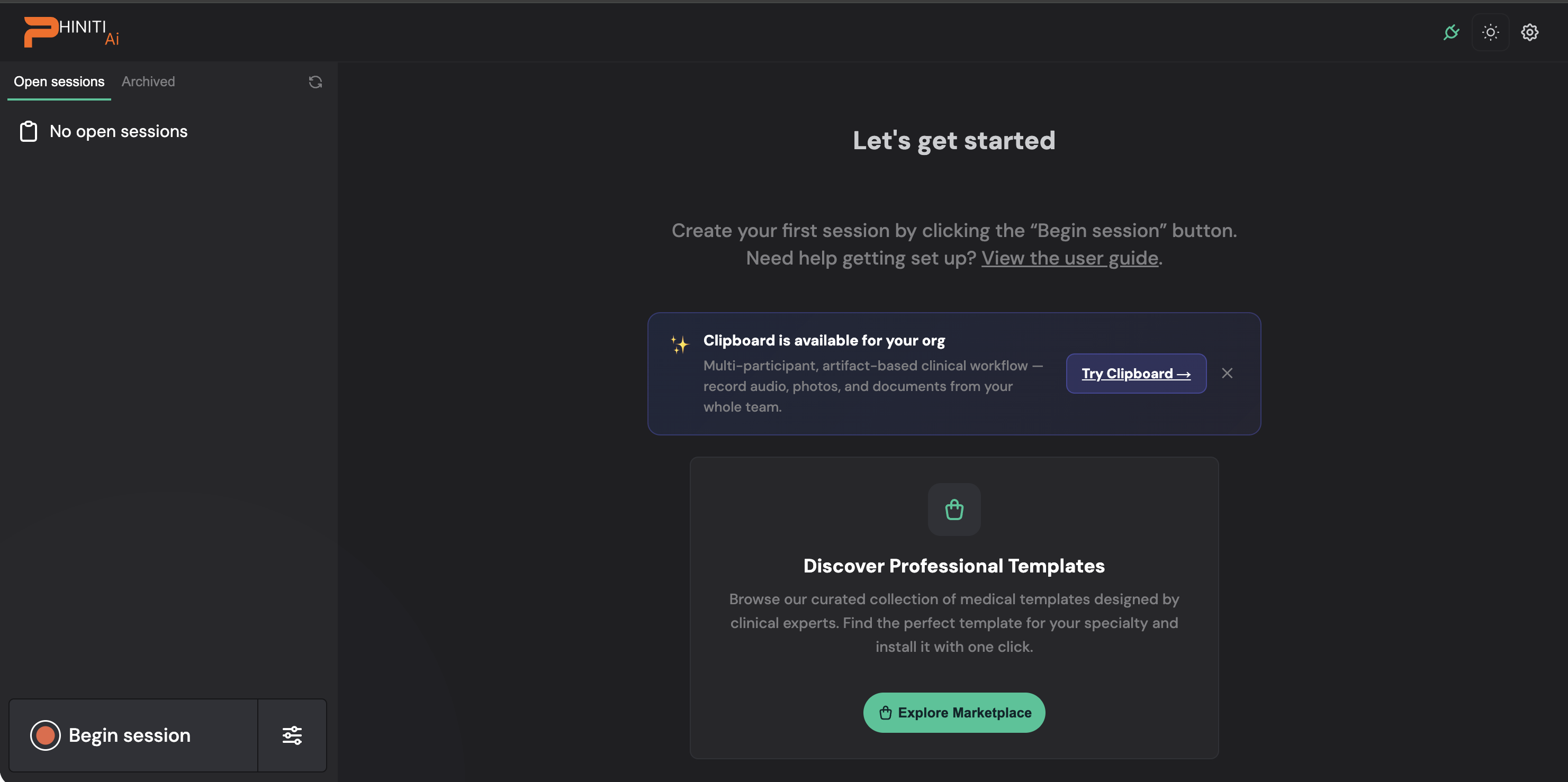
2 Begin a session

It starts right in the app

No open sessions yet? Just click Begin session in the corner.
Your front door
That's the start of your whole day โ€” no EHR to launch from first.
by
02
Ambient Scribe
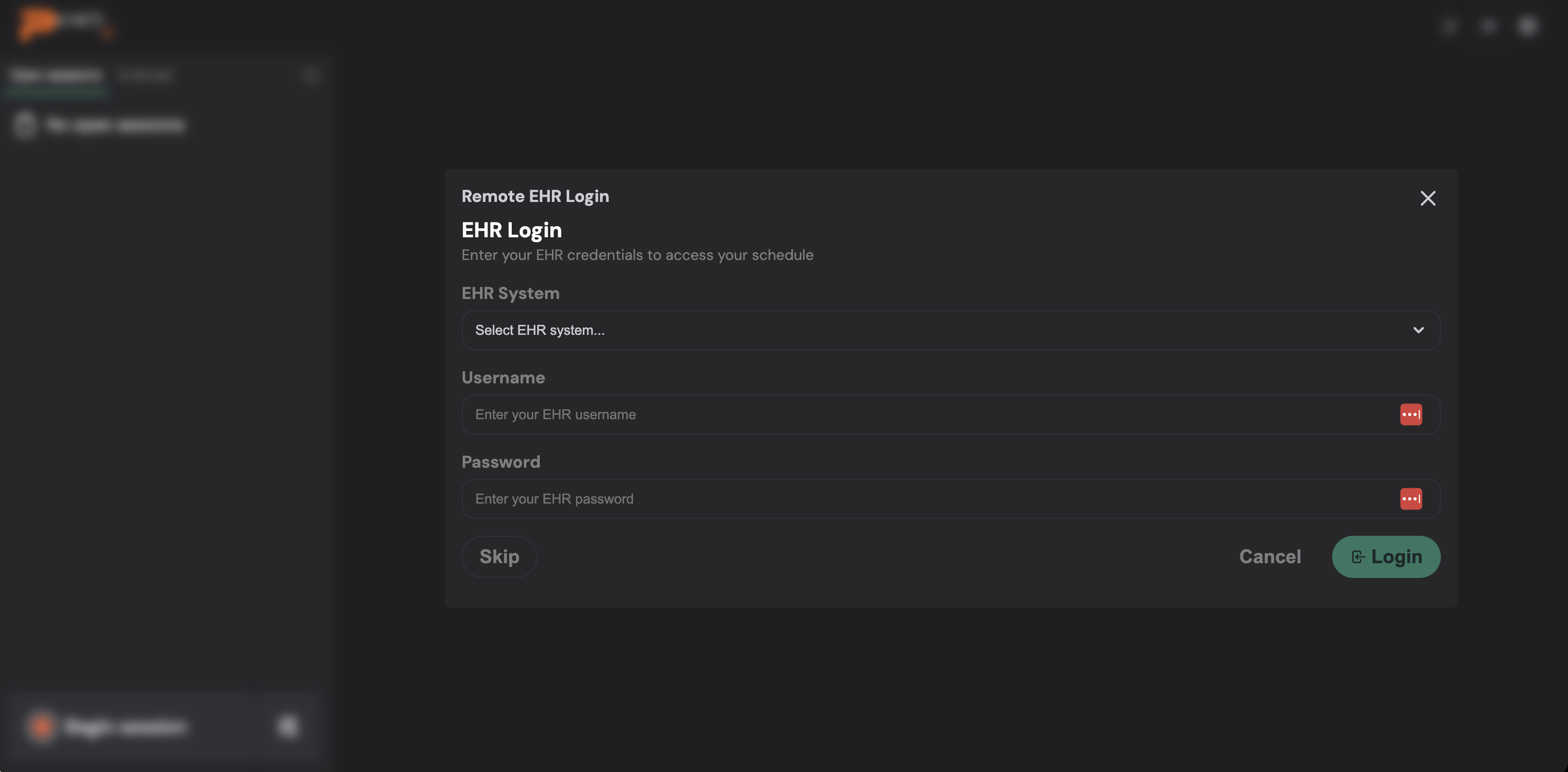
3 Sign in remotely โ€” or skip

Pull your schedule, or go straight to documenting

Choose your EHR system, enter your credentials, and Ambient Scribe pulls in your schedule remotely.
Don't need it?
Hit Skip and go straight to documenting โ€” no EHR required.
by
03
Ambient Scribe
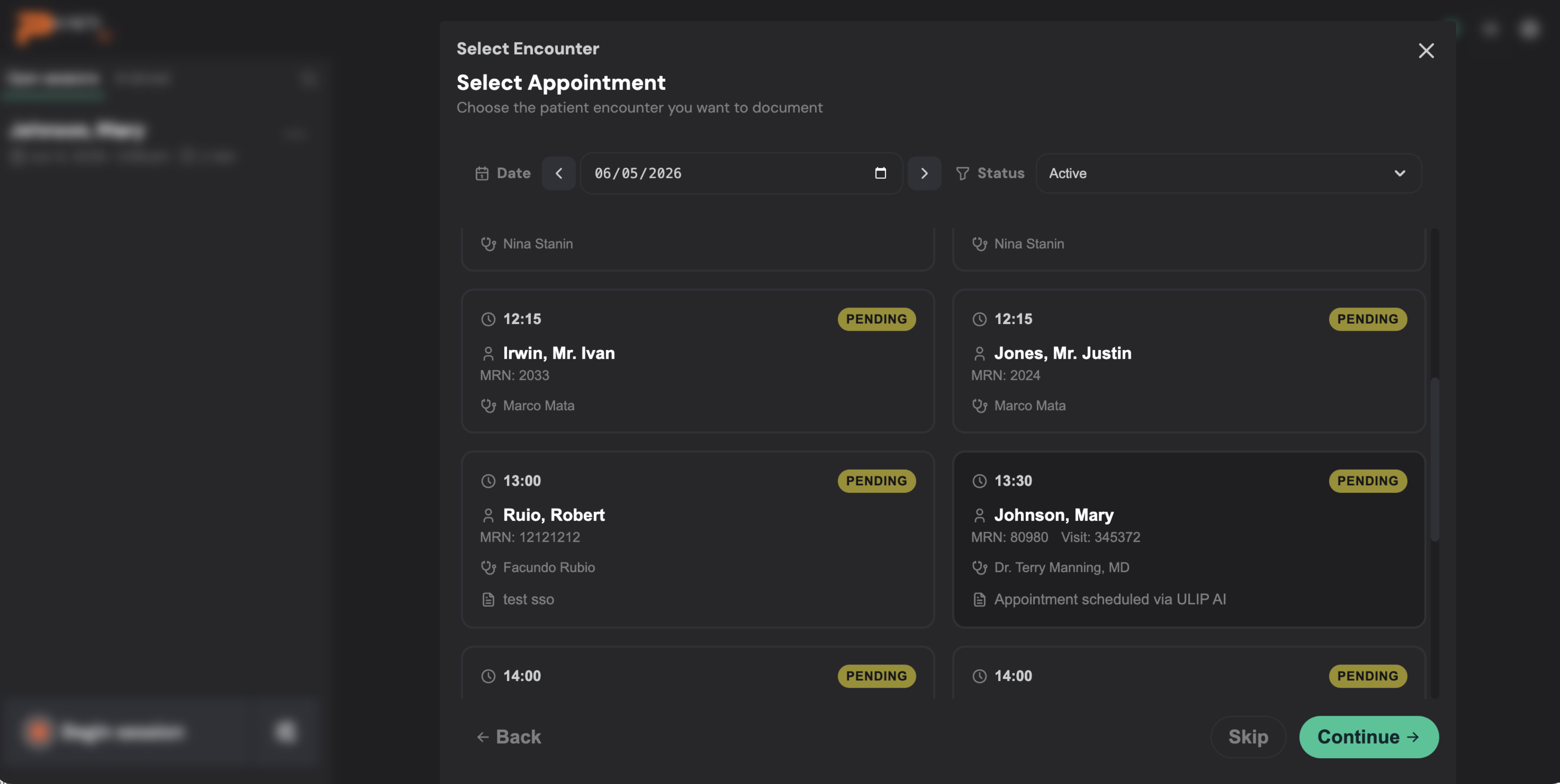
4 Pick from your schedule

Your whole day, right there

Step through dates, filter by status, and pick the patient you're seeing. Then hit Continue.
Already armed for you
The visits are set up and waiting โ€” the front desk or nurse armed them ahead of time.
by
04
Ambient Scribe
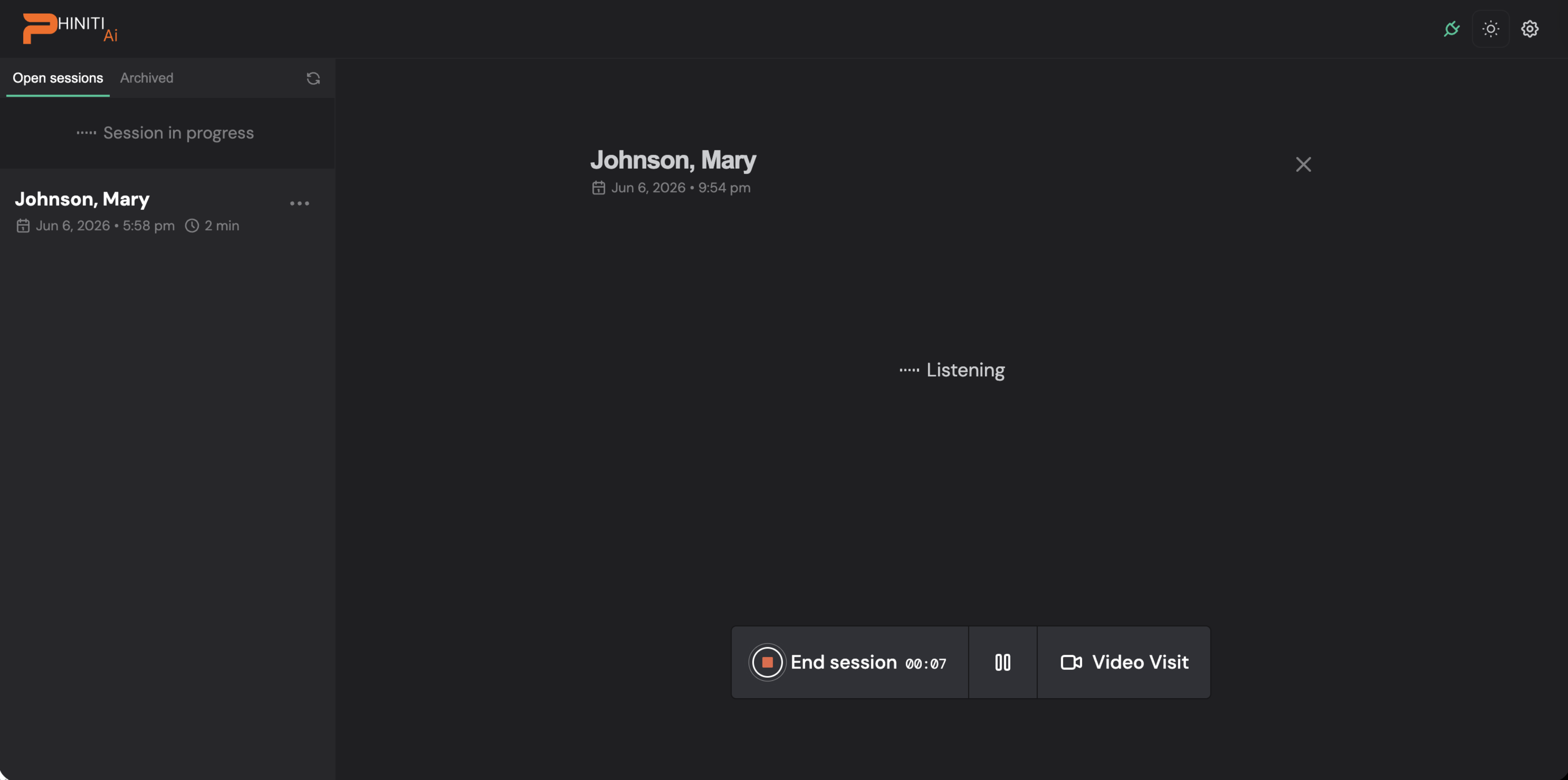
5 Document the visit

Just talk โ€” Ambient Scribe is listening

Just talk to your patient โ€” no special setup, no microphone to fuss with.
On your terms
Pause whenever you need, and pick right back up.
by
05
Ambient Scribe
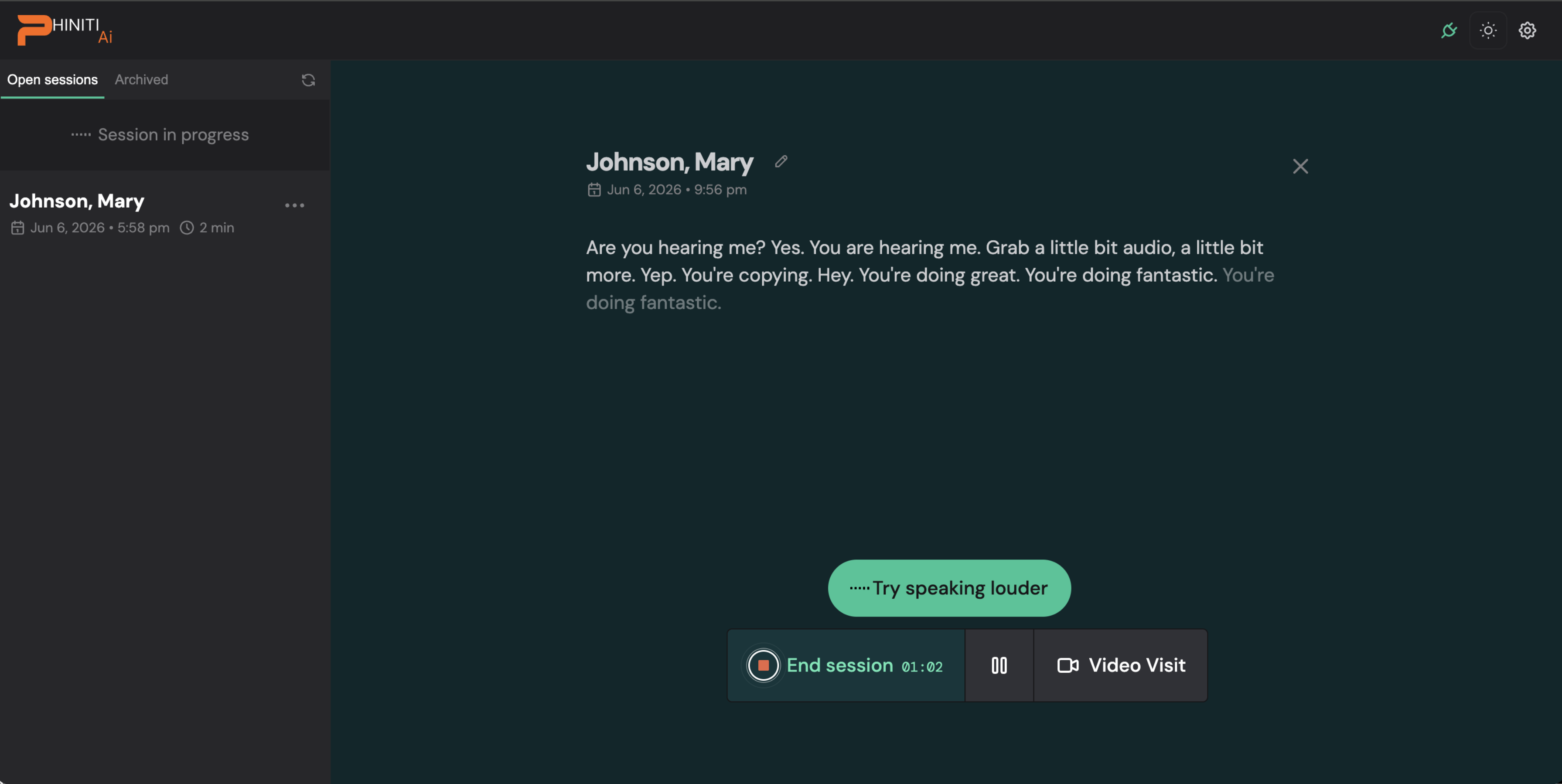
6 It transcribes live

See the conversation as it happens

The conversation shows up on screen as you go, so you always know it's working.
It'll help you
If it's struggling to hear, it nudges you to speak louder. Tap End session when you're done.
by
06
Ambient Scribe
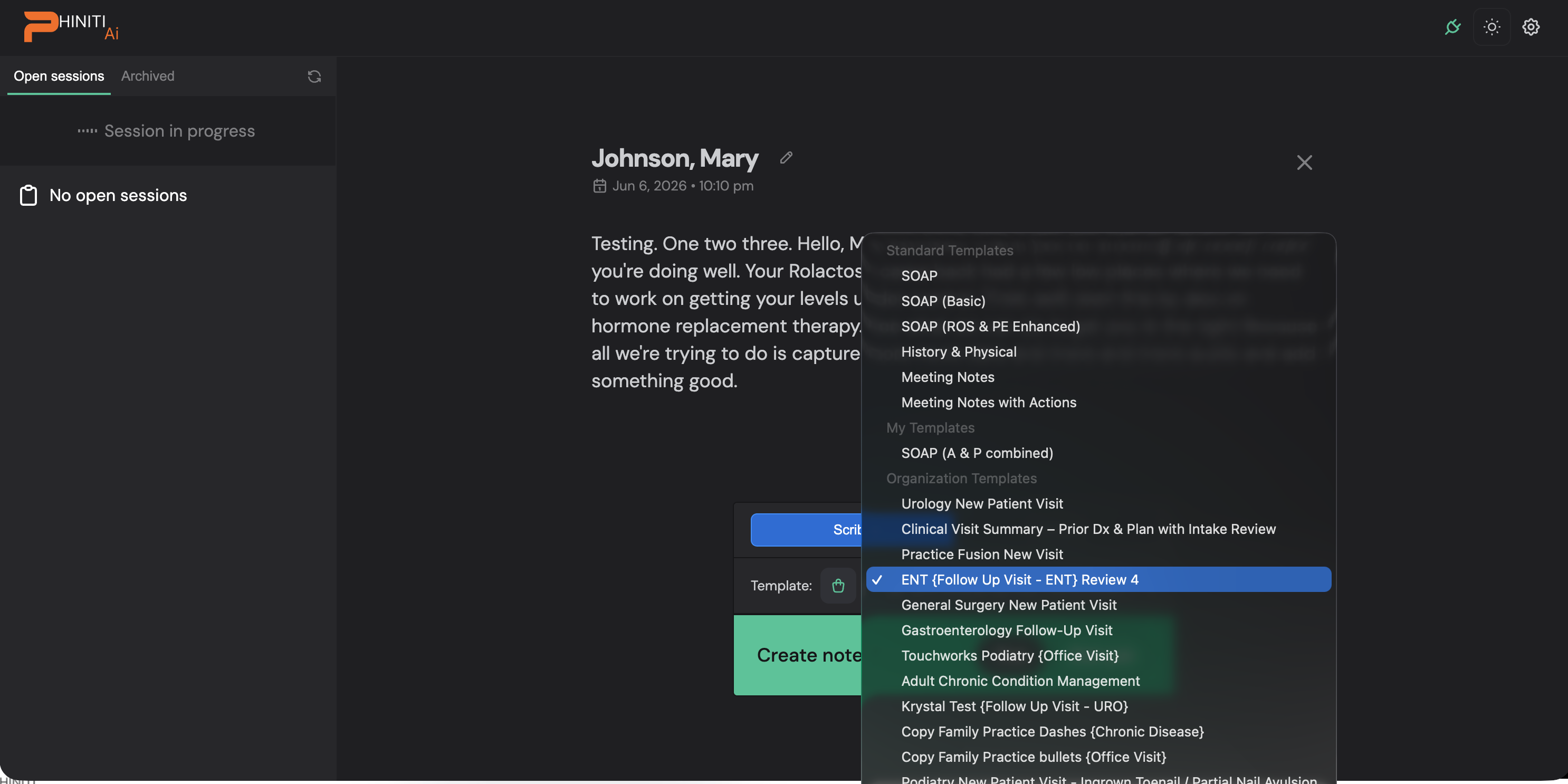
7 Your template, auto-matched

The right note is already picked

Your organization's templates are right at the top โ€” with the right one pre-selected for this visit type.
Then create
Confirm it, hit Create note, and Ambient Scribe gets to work.
by
07
Ambient Scribe
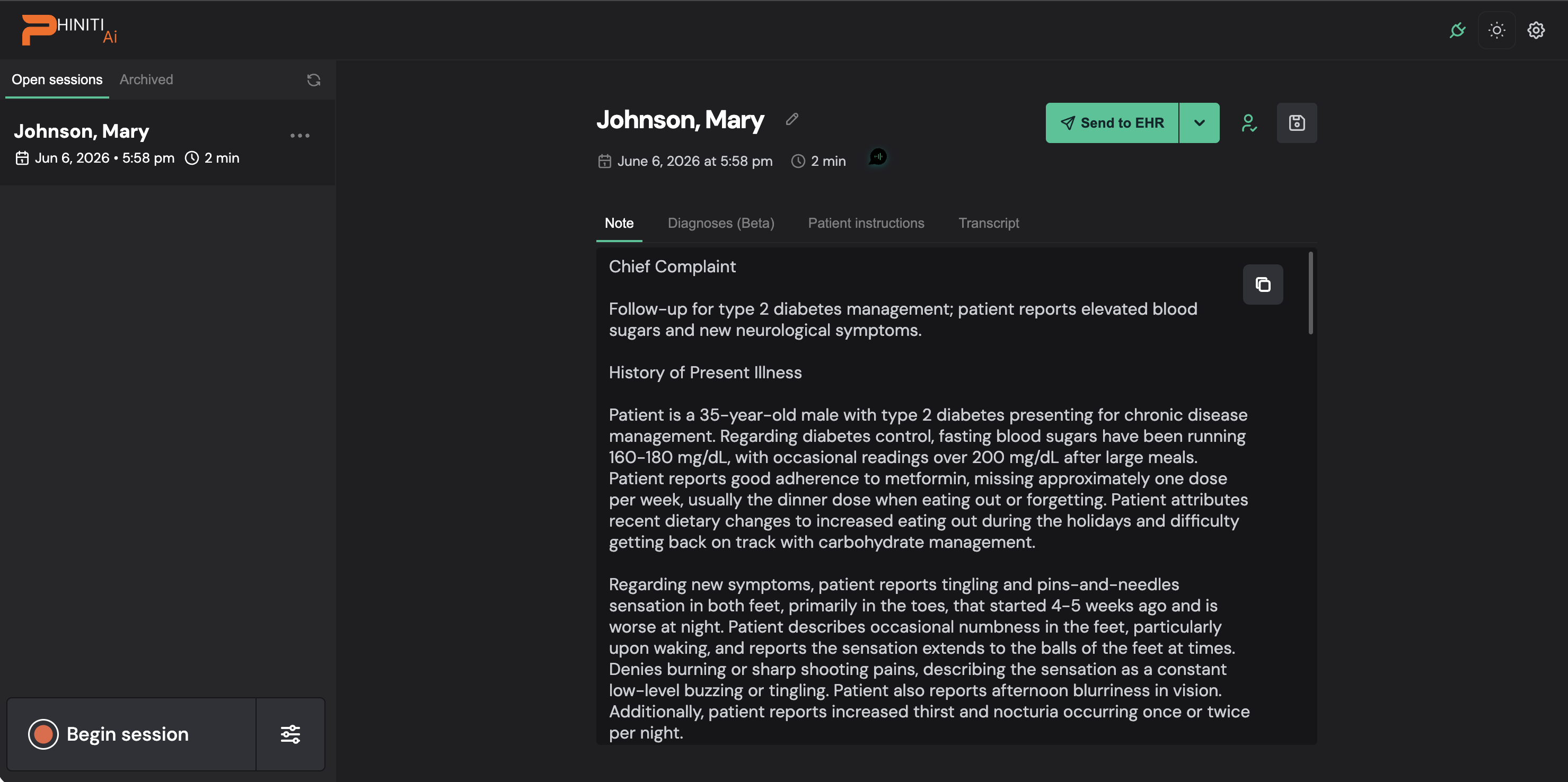
8 Review & send

Look it over, then send it wherever you need

Your note's fully drafted. Check the tabs, edit anything, and when you're happy, hit Send to EHR.
Connected or not
Connected to your EHR? It flows right into the chart. Not connected? Copy it wherever you need.
by
08

No EHR to launch. Just open, document, send.

The app-first flow gives you the whole workflow without ever logging into the EHR โ€” great for working anywhere.

โœ… Open the appโœ… Document anywhereโœ… EHR optional
The whole workflow, wherever you are โ€” no EHR required.
Ambient Scribe  ยท  by
๐ŸŽ™๏ธ Narration 1 / 10
This is the voiceover that will be synthesized for this slide โ€” read it before generating audio.
1 / 10
โ† โ†’ navigate ยท space play/pause ยท N narration ยท E move highlights ยท F fullscreen
โœฅ MOVE HIGHLIGHTS Drag a highlight to move it